
Stats & Leaderboard
JetStack AI tracks individual contribution metrics across your organization. The Stats & Leaderboard page gives you visibility into your personal activity, compares performance across team members, and rewards milestones with achievement badges. This is designed to encourage productive use of the platform and provide managers with a quick view of team activity.
Accessing Stats
Section titled “Accessing Stats”Navigate to Stats & Leaderboard from the left sidebar. The page has three sections: Personal Stats, Leaderboard, and Achievements.
Personal Stats
Section titled “Personal Stats”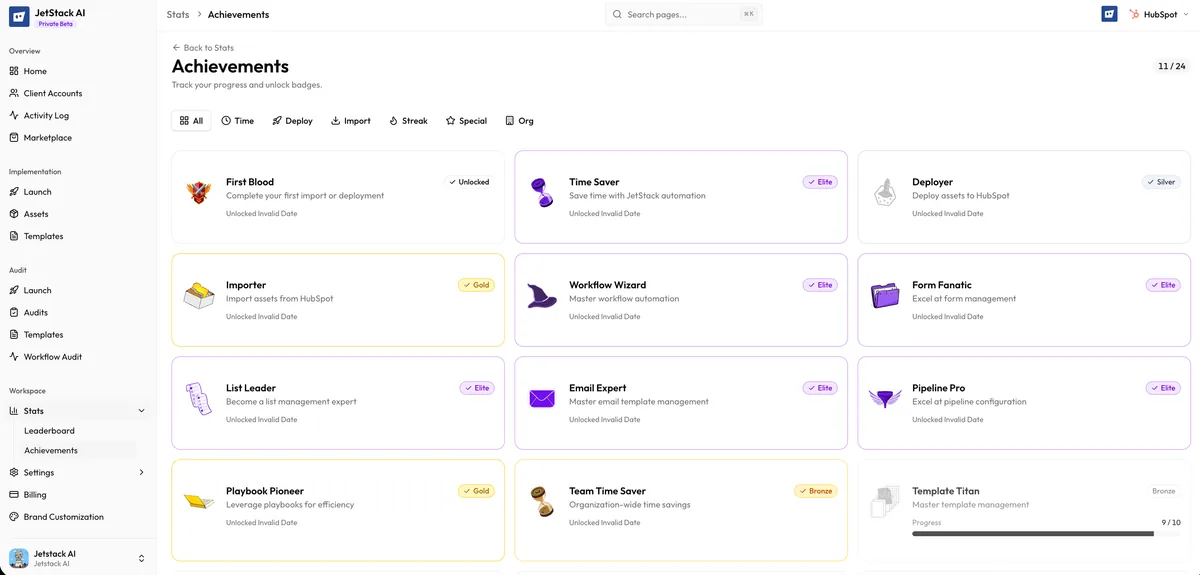
The personal stats section shows your individual activity metrics across all connected portals:
| Metric | Description |
|---|---|
| Assets Imported | Total number of assets you have imported from HubSpot portals into the JetStack AI library. |
| Assets Deployed | Total number of assets you have deployed from the library to target portals. |
| Audits Run | Total number of audit tasks you have launched. |
| Contribution Points | A composite score calculated from all your activity (see below). |
Contribution Points
Section titled “Contribution Points”Contribution points are a weighted score that reflects the volume and variety of your JetStack AI activity. Points are awarded for:
- Importing assets — Points per asset successfully imported
- Deploying assets — Points per asset successfully deployed
- Running audits — Points per audit completed
- Bulk operations — Points for bulk property creation tasks
The exact point values per action are designed to reflect effort — deploying a complex asset like a workflow earns more points than importing a single property. Point values are standardized across all users to ensure fair comparison.
Your total contribution points are displayed prominently at the top of the personal stats section, along with your current rank on the leaderboard.
Leaderboard
Section titled “Leaderboard”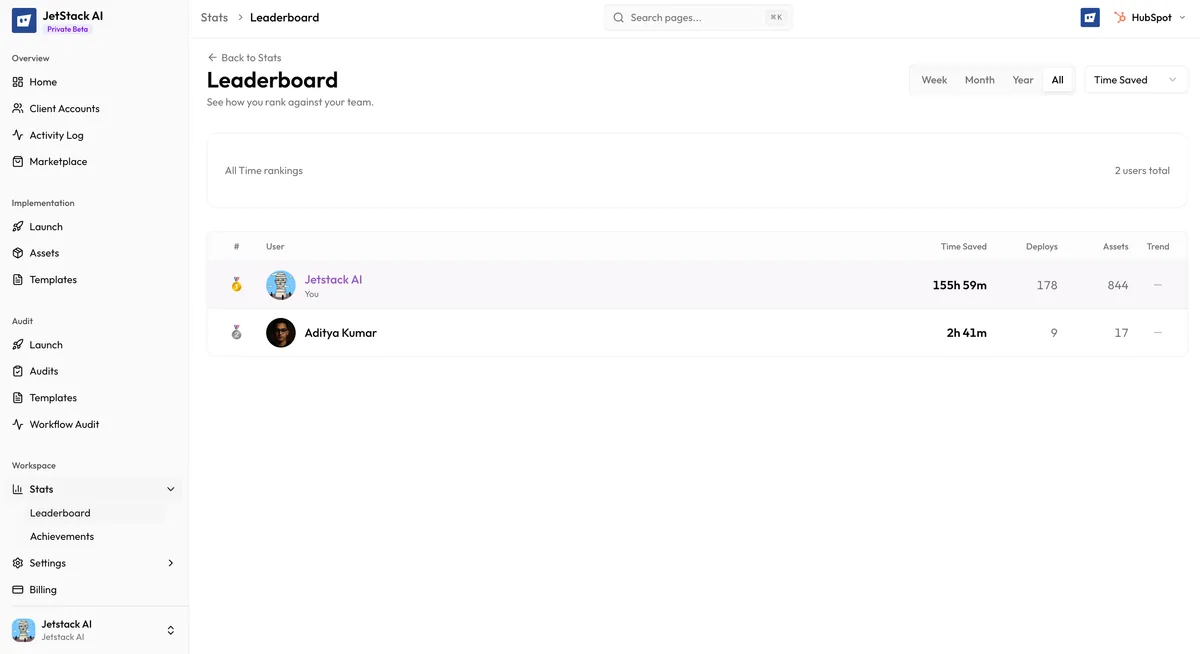
The leaderboard ranks all members of your organization by contribution points. It provides a competitive, at-a-glance view of who is most active on the platform.
Leaderboard Columns
Section titled “Leaderboard Columns”| Column | Description |
|---|---|
| Rank | Position in the leaderboard, sorted by points (descending) |
| Name | Team member’s display name |
| Points | Total contribution points for the selected time period |
| Assets Imported | Count of assets imported in the period |
| Assets Deployed | Count of assets deployed in the period |
| Audits Run | Count of audits completed in the period |
Time Period Filters
Section titled “Time Period Filters”The leaderboard can be filtered by time period:
- All Time — Cumulative stats since the team member joined the organization. Shows the overall top contributors.
- This Month — Activity from the current calendar month only. Resets on the first of each month.
- This Week — Activity from the current calendar week (Monday through Sunday). Resets every Monday.
Switching between time periods recalculates the rankings. A team member who is ranked first all-time may not be the top contributor this week.
Visibility
Section titled “Visibility”The leaderboard is visible to all members of the organization. Every team member can see the full rankings, including their own position. There is no option to hide individual members from the leaderboard.
Achievements
Section titled “Achievements”Achievements are badges awarded for reaching specific milestones. They provide recognition for consistent and significant platform usage.
Available Achievements
Section titled “Available Achievements”| Achievement | Requirement |
|---|---|
| First Audit | Complete your first audit |
| First Import | Successfully import your first asset |
| First Deploy | Successfully deploy your first asset |
| Import Pro | Import 100 assets |
| Import Master | Import 500 assets |
| Deploy Pro | Deploy 100 assets |
| Deploy Master | Deploy 500 assets |
| Audit Specialist | Run 25 audits |
| Audit Expert | Run 100 audits |
| Power User | Earn 1,000 contribution points |
| Platform Champion | Earn 10,000 contribution points |
How Achievements Work
Section titled “How Achievements Work”- Achievements are awarded automatically when you meet the requirement. There is no manual claim process.
- Each achievement can only be earned once. It remains permanently on your profile.
- Achievements are visible on your personal stats section and on the leaderboard (as badge icons next to your name).
- Achievement progress is tracked individually. You can see how close you are to the next milestone in the achievements section.
Use Cases
Section titled “Use Cases”- Team managers use the leaderboard to monitor adoption and identify who might need additional training or encouragement.
- Individual contributors use personal stats to track their own productivity over time.
- Competitive teams use weekly rankings and achievements to gamify their workflow and maintain engagement with the platform.
Stats are updated in near real-time. When you complete an import, deployment, or audit, the corresponding metrics update within a few seconds.