
Understanding Recommendations
Recommendations are actionable items generated from your audit findings. While AI insights explain what the data means, recommendations tell you exactly what to fix and in what order. They are designed to give you and your clients a clear improvement roadmap.
How Recommendations Are Generated
Section titled “How Recommendations Are Generated”Recommendations are generated using a rule-based system. Each recommendation rule defines:
- Conditions — What audit data triggers this recommendation
- The recommendation itself — What to do about it
- Impact and effort scores — How important it is and how much work it takes
Condition Operators
Section titled “Condition Operators”Each rule has one or more conditions that are evaluated against the audit data. Conditions use these operators:
| Operator | Description | Example |
|---|---|---|
| greater_than | Value exceeds a threshold | Score > 80 |
| less_than | Value is below a threshold | Percentage under 50 |
| equals | Value matches exactly | Status equals “inactive” |
| contains | Value includes a substring | Name contains “test” |
| is_true | Boolean value is true | DKIM configured is true |
| is_false | Boolean value is false | SPF configured is false |
A recommendation is triggered when all of its conditions are met. If a rule has three conditions, all three must evaluate to true for the recommendation to appear.
Recommendation Attributes
Section titled “Recommendation Attributes”Each triggered recommendation includes:
Impact (1-5)
Section titled “Impact (1-5)”How much improving this item will affect the portal’s health, efficiency, or business outcomes:
| Score | Meaning |
|---|---|
| 5 | Critical impact. Directly affects core functionality, compliance, or revenue tracking. |
| 4 | High impact. Significantly improves operational efficiency or data quality. |
| 3 | Moderate impact. Meaningful improvement in a specific area. |
| 2 | Low impact. Minor improvement or optimization. |
| 1 | Minimal impact. Polish or nice-to-have enhancement. |
Effort (1-5)
Section titled “Effort (1-5)”How much work is required to implement the recommendation:
| Score | Meaning |
|---|---|
| 5 | Major effort. Requires multi-day project, cross-team coordination, or significant technical work. |
| 4 | High effort. Several hours of focused work with some complexity. |
| 3 | Moderate effort. A few hours of straightforward work. |
| 2 | Low effort. Under an hour. Simple configuration or update. |
| 1 | Minimal effort. A few minutes. Single setting change or toggle. |
Time Estimate
Section titled “Time Estimate”An estimated number of hours to complete the recommendation. This helps scope improvement projects and set expectations with clients.
Category
Section titled “Category”The functional area the recommendation belongs to (e.g., Email Deliverability, Pipeline Configuration, Data Hygiene, Workflow Optimization). Categories help group related recommendations for planning.
Priority Score
Section titled “Priority Score”Recommendations are sorted by a priority score that combines impact and effort:
Priority Score = (Impact x 2) + (5 - Effort)
This formula favors high-impact, low-effort items. Examples:
| Impact | Effort | Calculation | Priority Score |
|---|---|---|---|
| 5 | 1 | (5 x 2) + (5 - 1) | 14 |
| 5 | 3 | (5 x 2) + (5 - 3) | 12 |
| 3 | 1 | (3 x 2) + (5 - 1) | 10 |
| 4 | 4 | (4 x 2) + (5 - 4) | 9 |
| 2 | 5 | (2 x 2) + (5 - 5) | 4 |
Recommendations are displayed in descending priority score order, so the most impactful and easiest fixes appear at the top.
Recommendations in Reports
Section titled “Recommendations in Reports”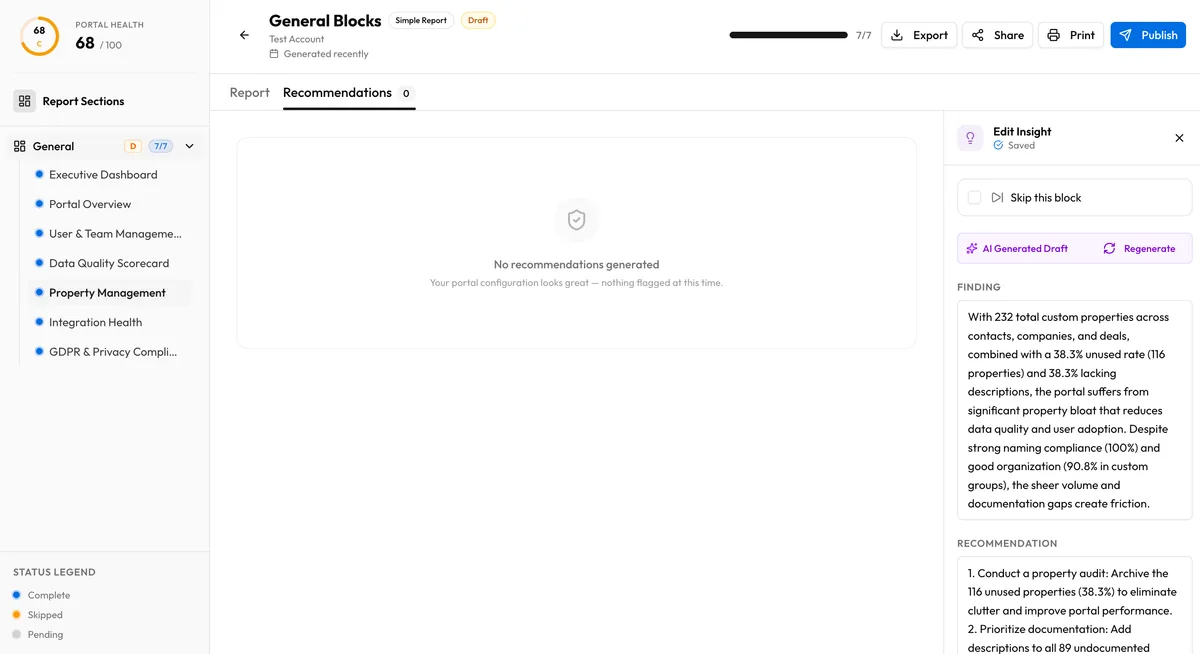
The recommendations section of an audit report shows:
- Each recommendation with its description, impact, effort, time estimate, and category
- Sorted by priority score (highest first)
- Grouped or filterable by category
This gives clients a ready-made action list they can work through sequentially or hand off to their team.
Relationship to AI Insights
Section titled “Relationship to AI Insights”Recommendations and AI insights are complementary but distinct:
- AI insights are generated per-block and explain findings in natural language
- Recommendations are generated from rules across the entire audit and focus on specific actions
A single block insight might reference multiple data points. A recommendation targets a specific condition and action. Together, they give a complete picture: the insight explains the context, and the recommendation provides the next step.