
Implementations Overview
Implementations are JetStack AI’s core workflow for moving HubSpot assets between portals. Whether you are onboarding a new client, replicating a proven setup, or standardizing across accounts, the implementation pipeline handles the full lifecycle: import, store, deploy.
The Implementation Lifecycle
Section titled “The Implementation Lifecycle”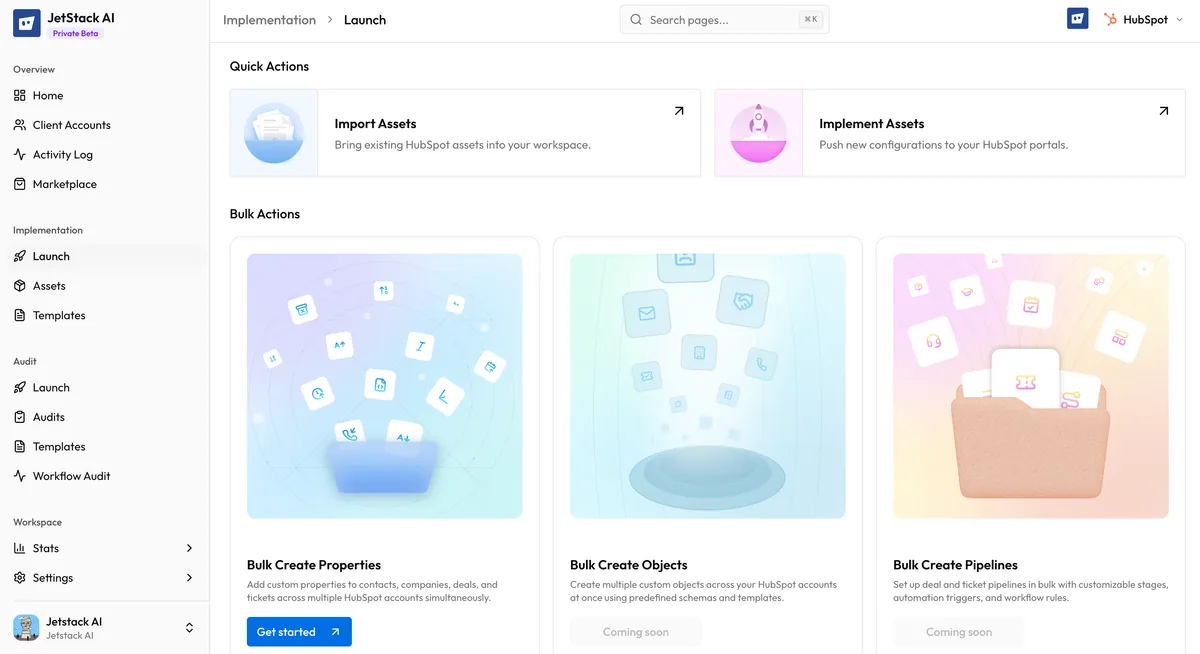
Every implementation follows three stages:
1. Import
Section titled “1. Import”You select assets from a connected source portal. JetStack AI fetches each asset through the HubSpot API, parses its configuration, identifies every dependency, and stores the result in your workspace. The source portal is never modified — import is a read-only operation.
During import, JetStack AI walks the full dependency tree using depth-first traversal. If a workflow references a list, that list is imported first. If the list references a form, the form is imported before the list. This guarantees that when you deploy later, every required piece is already available.
See How Import Works for technical detail.
2. Store in the Asset Library
Section titled “2. Store in the Asset Library”Imported assets land in your Asset Library — a centralized workspace where every asset is cataloged by type, source portal, and import date. The Asset Library is your single source of truth for all implementation assets across your organization.
From the library you can:
- Browse and search across all imported assets
- Inspect details including configuration, dependencies, and metadata
- Organize assets into modules — reusable bundles designed for repeated deployment
- Remove assets you no longer need
The Asset Library persists independently of any portal. If a source portal disconnects or an asset is deleted in HubSpot, your stored copy remains intact.
See Browsing the Asset Library and Managing Assets for full details.
3. Deploy
Section titled “3. Deploy”When you are ready, select assets from the library and deploy them to a destination portal. JetStack AI recreates each asset in the target portal through the HubSpot API, remapping internal IDs, properties, owners, and pipelines to match the destination environment.
Deployment handles the complexity that makes manual replication error-prone: property mapping, pipeline mapping, owner mapping, image re-uploading, and dependency ordering.
See How Deployment Works for the full deployment guide.
The Dependency Graph
Section titled “The Dependency Graph”HubSpot assets rarely exist in isolation. A workflow might enroll contacts from a list, send a marketing email, and update a pipeline stage — creating dependencies on a list, an email, and a pipeline. JetStack AI maps these relationships into a dependency graph during import.
The dependency graph serves two purposes:
- During import, it ensures all required assets are fetched automatically. You select the top-level assets you want; JetStack AI discovers and imports the rest.
- During deployment, it determines the correct creation order. Dependencies are deployed first, and their new IDs are wired into the assets that reference them.
This means you do not need to manually track which assets a workflow depends on or worry about creation order. JetStack AI handles it.
See Dependencies and Auto-Import for the full dependency map.
Modules and Templates
Section titled “Modules and Templates”A module is a named bundle of related assets designed for repeated deployment. When you import assets, you can optionally group them into a module with a title and description. Modules appear as first-class items in your Asset Library and can be deployed as a unit.
Common use cases for modules:
- Client onboarding package — a set of workflows, lists, forms, and emails that every new client receives
- Campaign template — a complete campaign stack ready to deploy and customize
- Pipeline setup — deal pipelines with associated workflows and email sequences
Modules let you standardize what gets deployed across clients while keeping everything versioned and organized.
See Creating Modules from Imports and Modules and Templates for details.
Supported Asset Types
Section titled “Supported Asset Types”JetStack AI supports importing and deploying assets across three categories:
| Category | Asset Types |
|---|---|
| CRM | Workflows, Lists, Forms, Emails, Pipelines, Association Labels, Property Sets |
| CMS | Pages, Templates, Blog Posts, HubDB Tables, Email Templates, Template Modules, Blogs |
| Ultimate | Dashboards, Reports, Snippets, Goal Templates, Lead Scores, CRM Cards, Preview Views, Playbooks |
CRM and CMS assets are available on the Pro plan. Ultimate assets require the Ultimate plan.
See Supported Asset Types for a complete breakdown of what is captured for each type.
Next Steps
Section titled “Next Steps”- How Import Works — Technical walkthrough of the import process
- Selecting Assets to Import — Step-by-step guide to the import wizard
- How Deployment Works — Understanding the deployment pipeline
- Known Limitations — Current constraints and workarounds