
Audits Overview
JetStack AI Audits provide a comprehensive, automated health check of any connected HubSpot portal. Each audit scans 450+ data points across 28 analysis blocks, generates AI-powered insights, and produces a branded report you can share with clients or stakeholders.
Whether you are onboarding a new client, running a quarterly review, or diagnosing underperforming campaigns, audits give you a structured, data-driven view of portal health in minutes rather than days.
What an Audit Covers
Section titled “What an Audit Covers”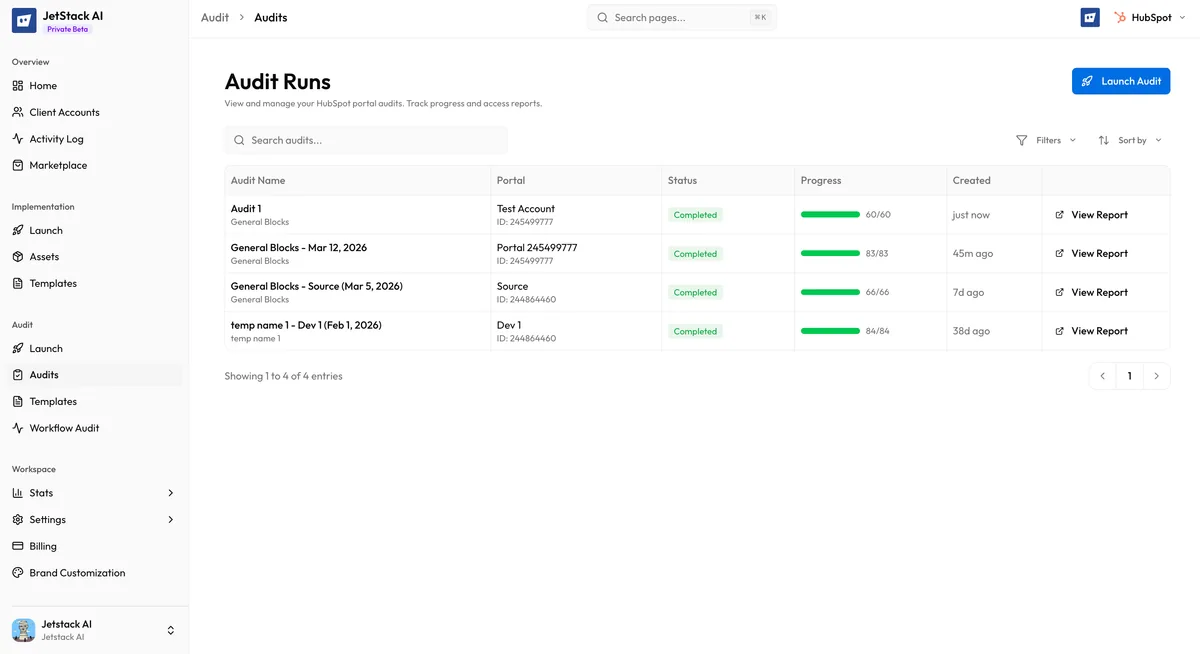
Every audit evaluates a portal across six major sections, each containing multiple analysis blocks:
| Section | Blocks | Focus Areas |
|---|---|---|
| General | 6 | Portal configuration, data quality, properties, users, integrations, GDPR |
| Sales Hub | 5 | Deal pipelines, performance metrics, activity tracking, lead management, quotes |
| Marketing Hub | 6 | Email campaigns, forms, content, campaigns, lists, social media |
| Service Hub | 4 | Ticket pipelines, resolution metrics, customer feedback, knowledge base |
| Automation | 3 | Workflows, sequences, lead scoring |
| Reporting | 3 | Dashboards, reports, analytics configuration |
Each block captures specific data points, scores them against best-practice benchmarks, and feeds the results into the AI insights engine. For a full breakdown of every data point, see the Data Points section.
How Audits Work
Section titled “How Audits Work”The audit process follows four phases:
- Configuration — You select a template, target portal, and optional branding through a guided wizard. See Running an Audit for the full walkthrough.
- Data Capture — JetStack AI connects to the HubSpot API and retrieves current data across all blocks defined in the template. Some data points require the JetStack AI browser extension for access to premium or internal API endpoints.
- Analysis and Scoring — Each data point is evaluated against configurable benchmarks. Scores roll up from individual data points to blocks, from blocks to sections, and from sections to an overall portal health score. See Scoring for details.
- AI Insights — The scored data is sent to Claude Haiku, which generates findings, recommendations, priority ratings, and effort estimates for each block, plus an executive summary of the entire portal. See AI Insights for details.
Quick Mode vs Full Mode
Section titled “Quick Mode vs Full Mode”Audits run in one of two modes depending on the template configuration:
- Quick Mode — Captures current-state data only. Completes in 2 to 5 minutes. Best for fast health checks, onboarding assessments, and situations where you need results immediately.
- Full Mode — Captures current-state data plus historical trends (e.g., email performance over the past 90 days, deal velocity trends, workflow enrollment history). Completes in 5 to 15 minutes. Best for quarterly reviews and deep-dive analyses where trend data adds context.
The mode is determined by the template. Pre-built templates indicate which mode they use; custom templates let you configure this when selecting which blocks and data points to include.
Audit Reports
Section titled “Audit Reports”Once an audit completes, JetStack AI generates a shareable report. Reports include:
- Portal health score with section-level breakdowns and maturity level ratings
- Block-by-block analysis showing data points, scores, and AI-generated insights
- Prioritized recommendations ranked by impact and effort
- Executive summary suitable for client-facing presentations
Reports support several presentation and sharing options:
- Custom branding — Apply your agency’s logo, colors, and fonts (Pro plan and above)
- Custom domains — Host reports on your own domain (e.g.,
reports.youragency.com) - Password protection — Require a password to view the report
- Shareable links — Send a link to clients without requiring them to have a JetStack AI account
See Reports for full documentation on viewing, sharing, and branding reports.
Templates
Section titled “Templates”Audit templates define which blocks and data points are included in an audit. JetStack AI provides pre-built templates for common use cases and you can create custom templates to match your specific workflow.
- Pre-built templates cover scenarios like Full Portal Audit, Marketing Health Check, Sales Pipeline Review, and more
- Custom templates let you select exactly which blocks and data points to include, set custom benchmarks, and configure Quick or Full mode
See Templates for the full template documentation.
Extension Data Capture
Section titled “Extension Data Capture”Some data points rely on HubSpot internal APIs that are not available through the standard REST API. These data points require the JetStack AI browser extension to capture data. When an audit includes extension-dependent data points:
- The audit pauses in the PENDING_DATA_CAPTURE state after launch
- You receive instructions to open the extension and complete the capture
- Once the extension submits the data, the audit resumes processing automatically
If you do not have the extension installed, audits will still run but extension-dependent data points will be marked as unavailable and excluded from scoring.
Requirements
Section titled “Requirements”To run an audit you need:
- A connected HubSpot portal with the connection type set to
config_and_auditoraudit(see Connecting Portals) - An audit template — either a pre-built template or one you have created
- For branded reports: a brand configuration and a Pro plan or above
- For extension data points: the JetStack AI browser extension installed and authenticated
Next Steps
Section titled “Next Steps”- Selecting a Template — Start the audit wizard
- Data Points: General — Explore what each block measures
- Scoring: How It Works — Understand how scores are calculated
- AI Insights — Learn how AI generates findings and recommendations
- Viewing Reports — See the finished product