HubSpot Audit Branding
White-label portal reports. HubSpot chart styling. Funnel visualization branding.
The challenge
HubSpot's signature orange bleeds into every portal screenshot and report visualization throughout your audit. Portal screenshots carry HubSpot's orange branding, funnel charts and lifecycle stage visualizations render in HubSpot's palette, and workflow diagrams show HubSpot's UI colors — making your agency's 50-page portal assessment look like HubSpot marketing collateral instead of a premium consulting deliverable.
HubSpot orange dominates portal screenshots
Every screenshot captured from a HubSpot portal — contact records, deal pipelines, workflow editors, list views, and form builders — features HubSpot's orange navigation bar and UI chrome. A portal-wide audit with dozens of these screenshots reads as a HubSpot product tour, not your agency's expert analysis.
Funnel charts render in HubSpot palette
Lifecycle stage funnels, deal pipeline conversion charts, and form submission visualizations all render in HubSpot's default color gradients. There is no native way to recolor these complex multi-step visualizations to match your agency's brand, and manually rebuilding each funnel chart doubles the report production time.
Workflow diagrams show HubSpot UI colors
Workflow enrollment visualizations, sequence performance charts, and automation branch diagrams all carry HubSpot's UI color scheme — orange accents, blue action nodes, and gray connector lines. Every workflow diagram in your audit advertises HubSpot's design language instead of your agency's visual identity.
Exported portal data carries HubSpot formatting
Data exported from HubSpot for report charts — deal stage distributions, lifecycle stage breakdowns, property utilization metrics — includes HubSpot's default formatting, color coding, and column styling. Rebuilding each chart with brand-consistent colors and typography requires recreating every visualization from raw data exports.
See how JetStack AI handles audit branding
Book a demoHow JetStack AI solves it
Automatic recoloring of HubSpot portal screenshots, funnel charts in your brand palette, and consistent portal terminology styling — so every HubSpot audit report represents your agency, not HubSpot.
Global brand presets
Configure your agency's brand identity once — logo, primary and secondary colors, fonts, and cover page style. Every new audit automatically inherits these settings.
Per-client overrides
Create client-specific brand profiles for co-branded reports. Override colors, add the client's logo alongside yours, and customize cover page messaging — without affecting your global settings.
Automatic PDF styling
Reports render to PDF with pixel-perfect brand application. Tables, charts, and scoring visualizations all respect your brand colors and typography. No manual fixing needed.
Brand consistency enforcement
Lock brand elements to prevent per-report modifications. Auditors can customize content but not colors, logos, or fonts — ensuring every report meets brand standards.
Custom cover pages
Design cover pages with your brand. Add custom taglines, engagement details, and hero imagery. Cover page templates can be saved and reused across engagements.
Professional, branded reports in seconds — not hours of manual formatting.
How it works
Upload brand assets
Add your logo and define brand colors that will replace HubSpot's orange and default chart palette. Upload portal-specific brand elements for co-branded HubSpot reports.
Configure theme
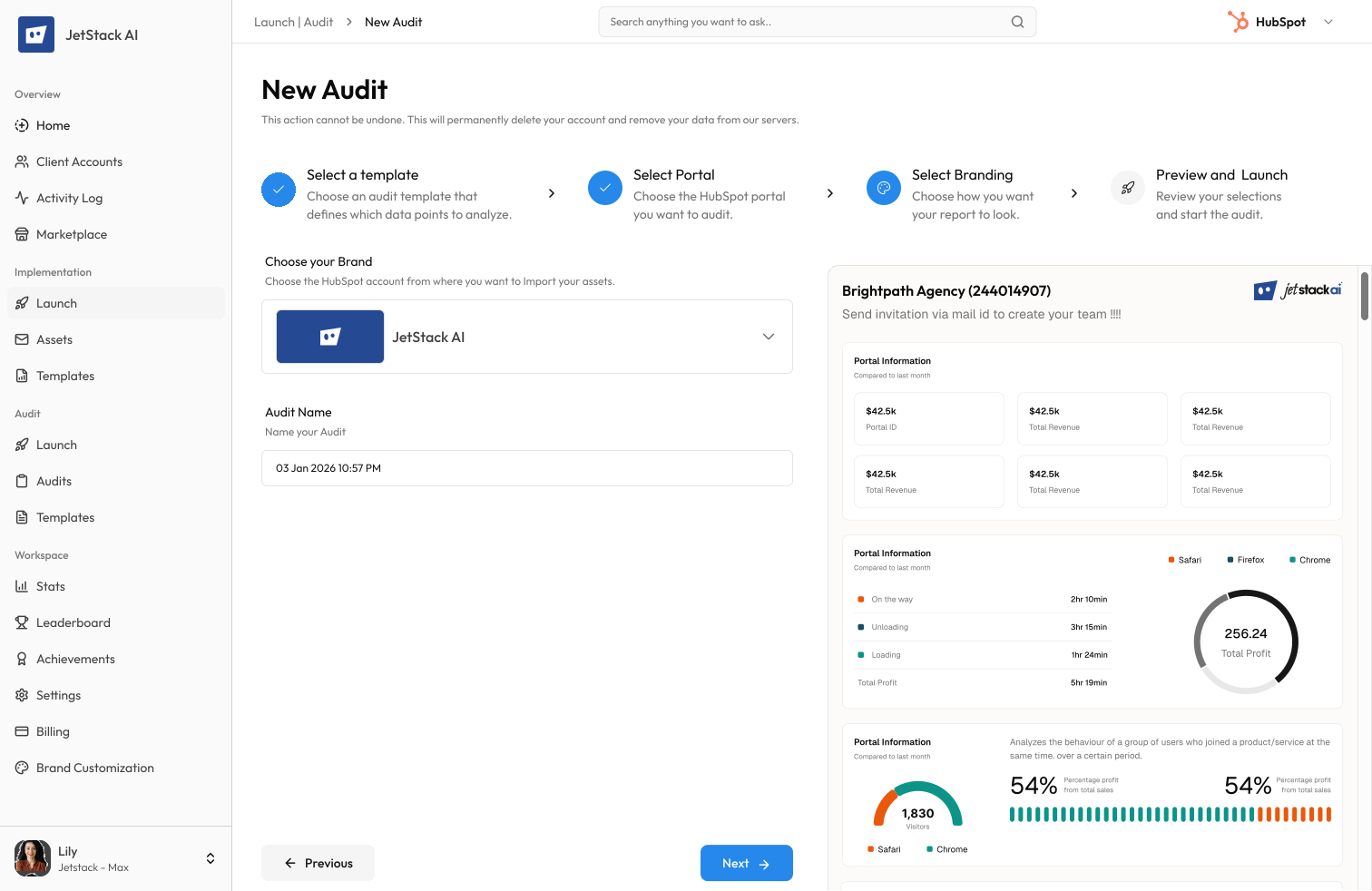
Map your brand colors to HubSpot chart types — funnel charts, pipeline bars, lifecycle stage progressions, and workflow diagrams. Preview how portal data visualizations render in your brand.
Preview reports
Generate a complete HubSpot audit preview with recolored portal screenshots, branded funnel charts, and styled property tables. Verify every portal visualization matches your brand.
Apply globally
Save the HubSpot brand preset. All new portal audits automatically apply your colors to HubSpot-specific charts, screenshots, and data visualizations.
The difference JetStack AI makes
Before JetStack AI, branding a HubSpot audit meant manually recoloring every funnel chart, cropping HubSpot chrome from portal screenshots, and reformatting property tables to match your agency's style guide. A 20-page portal audit took over an hour of formatting. With JetStack AI, HubSpot's orange is automatically replaced with your brand colors across all portal visualizations — every funnel, pipeline, and workflow diagram is agency-branded without touching a single screenshot.
Set your brand once. Every report looks perfect.
Ready to brand your audits?
Get startedFrequently asked questions
Can JetStack AI restyle HubSpot portal screenshots?
Yes. JetStack AI applies brand overlays to portal screenshots — replacing HubSpot's orange navigation chrome and UI elements with neutral or brand-matched styling. Screenshots look professional without manual editing.
Are HubSpot funnel charts recolored automatically?
Yes. Lifecycle stage funnels, deal pipeline charts, and form conversion funnels are rendered in your brand's color palette. HubSpot's default blue-to-green gradient is replaced with your primary and secondary colors.
How is HubSpot terminology styled in reports?
Define styling rules for HubSpot-specific terms — portals, contacts, companies, deals, workflows, sequences, lists, and properties. JetStack AI applies consistent formatting (bold, color, font weight) across all report pages.
Can I customize funnel chart styling per client?
Yes. Create client-specific brand profiles that override funnel chart colors, pipeline bar styles, and lifecycle stage visualizations. Each client's HubSpot audit uses their co-branded palette.
Can I co-brand reports with HubSpot partner badges?
Yes. Add HubSpot Solutions Partner badges alongside your agency logo. Configure badge placement, size, and positioning for cover pages and report headers. Partner tier badges are fully supported.
Less busywork. More delivery, everywhere.
See how JetStack AI turns weeks of manual ops into minutes.
Book a demo now. No commitment, no sales pitch.