HubSpot Custom Association Label Migration
All association types. Label preservation. Cardinality rules intact.
The challenge
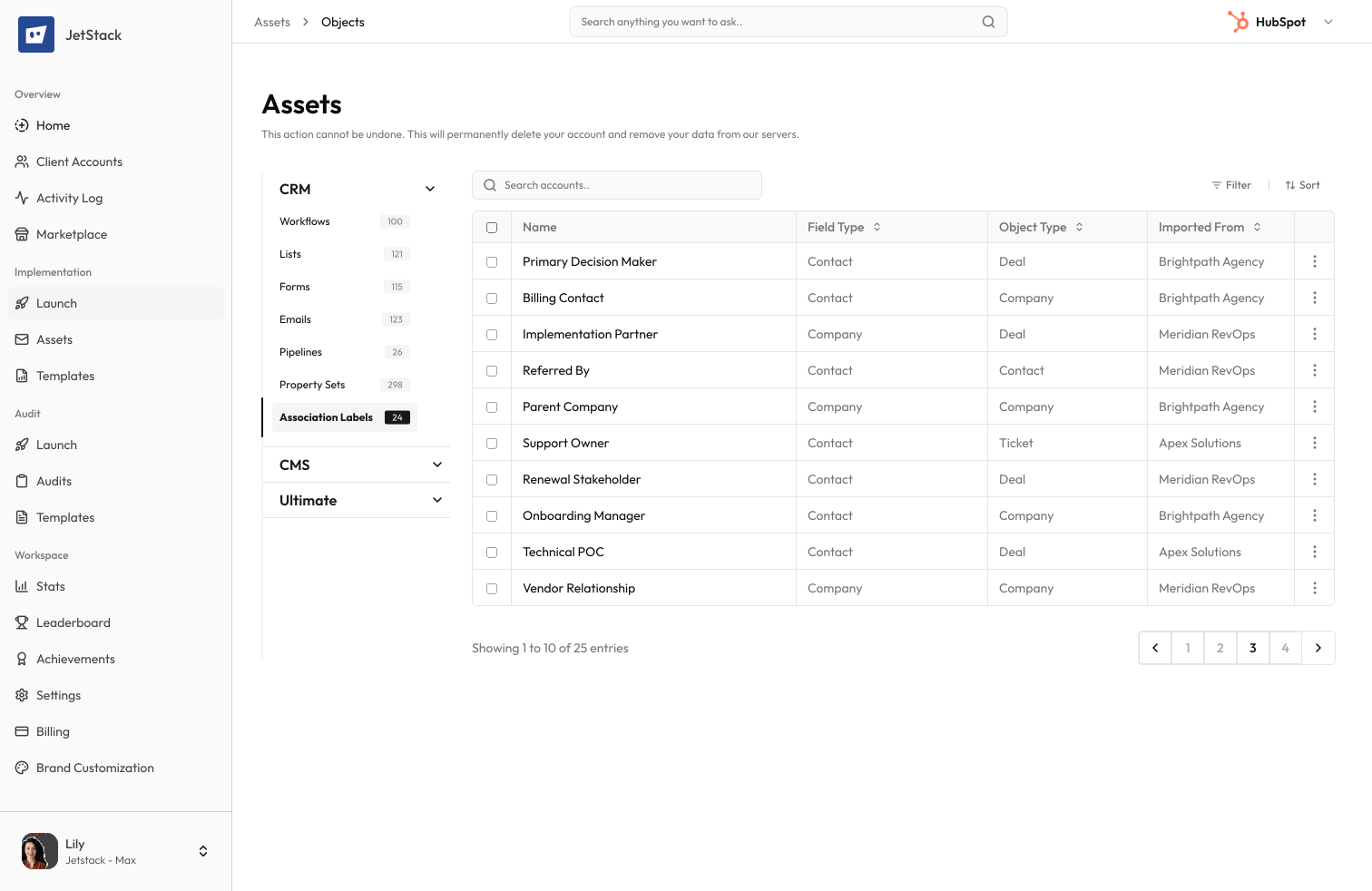
Custom association labels define the relationships between HubSpot objects. Migrating them means preserving label names, associated object pairs, cardinality rules, and inverse labels — with no native export tool.
Manual recreation required
Each custom association label must be manually recreated between the correct object pairs with exact naming and cardinality settings.
Complex object relationships
Labels define relationships between contacts, companies, deals, tickets, and custom objects. Missing labels break record associations and reporting.
Inverse labels must match
Each association has a forward and inverse label. Getting these backwards or misnamed creates confusing relationships across the CRM.
No bulk creation tool
HubSpot has no bulk association label creation. Each label must be created one at a time through the settings UI.
How JetStack AI migrates association labels
JetStack AI transfers all custom association labels with correct object pairs, label names, inverse labels, and cardinality rules.
Complete label transfer
Every custom association label is migrated with its forward label, inverse label, associated object types, and cardinality settings.
Object pair validation
Associated object pairs are validated in the destination. Custom objects must exist before their association labels can be created.
Cardinality preservation
One-to-many, many-to-many, and one-to-one cardinality rules are preserved exactly as configured in the source.
Dependency ordering
Association labels are created in the correct order — standard object labels first, then custom object labels — to respect dependencies.
The result
JetStack AI migrates your entire association structure in seconds.
How it works
Scan association labels
JetStack AI reads all custom association labels across every object type, including forward labels, inverse labels, and cardinality rules.
Validate object pairs
Each label's associated object types are checked against the destination portal. Missing custom objects are flagged.
Create labels
Association labels are created in dependency order with correct object pairs, naming, and cardinality settings.
Verify relationships
Created labels are verified against source definitions. A report shows every label created with any noted differences.
The difference JetStack AI makes
Before JetStack AI, migrating custom association labels meant manually documenting and recreating each one. Inverse labels were frequently mixed up, and cardinality rules were set incorrectly. With JetStack AI, all labels migrate with perfect accuracy.
Migrate your association labels without a single error.
Ready to migrate your associations?
Get startedFrequently asked questions
Are default association labels included?
Default (system) association labels already exist in every portal. Only custom labels are migrated.
What about custom object associations?
Yes, associations involving custom objects are supported. The custom objects must exist in the destination first.
Are paired (inverse) labels preserved?
Yes, both the forward and inverse labels are migrated together with correct naming.
Can I rename labels during migration?
Yes, labels can be renamed as part of the migration process.
Less busywork. More delivery, everywhere.
See how JetStack AI turns weeks of manual ops into minutes.
Book a demo now. No commitment, no sales pitch.