HubSpot Custom Property Migration
All property types. Group preservation. Option sets intact.
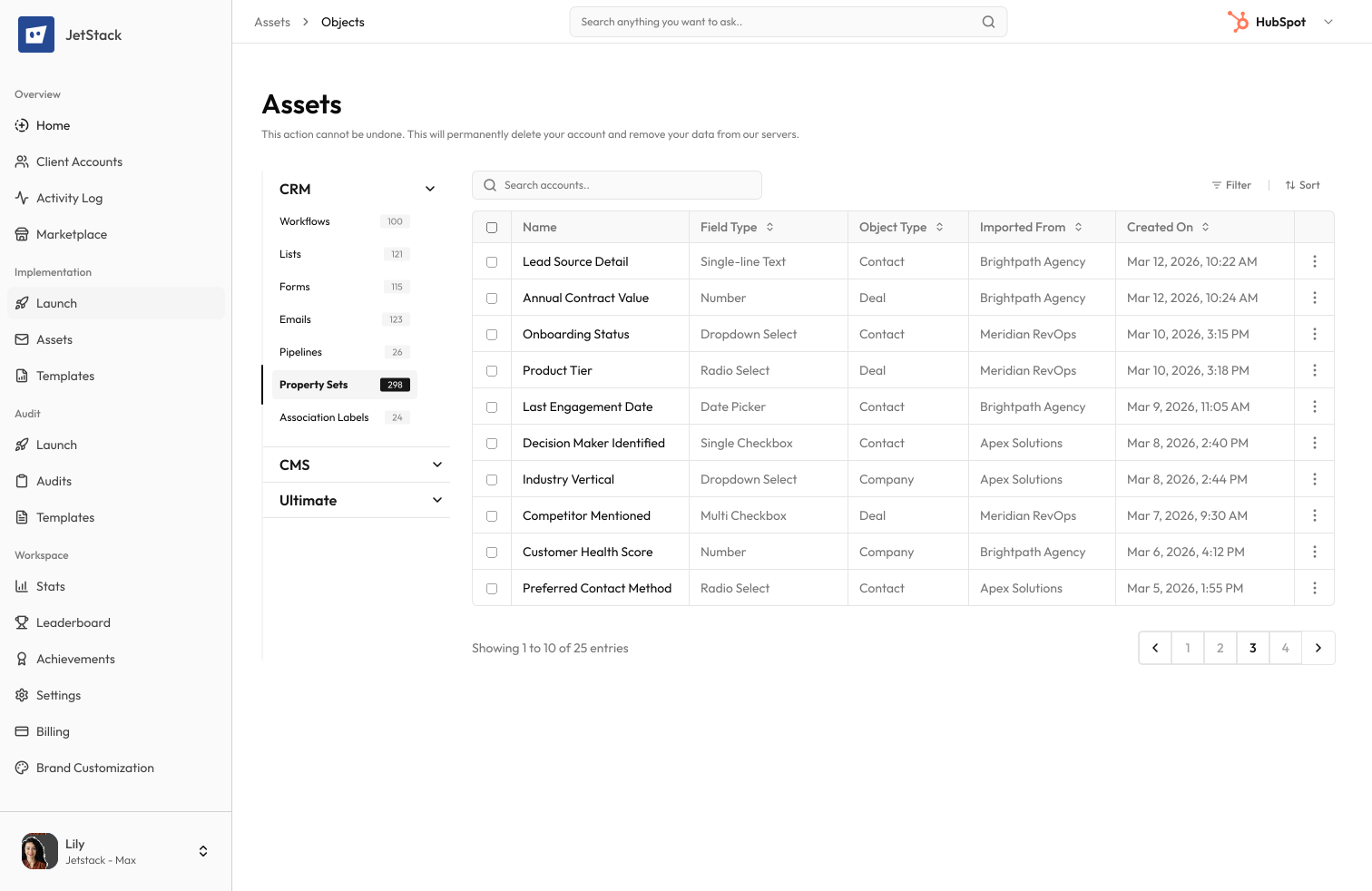
The challenge
Custom properties are the foundation of every HubSpot portal. Reports, workflows, lists, and forms all depend on them. Migrating means transferring names, types, groups, descriptions, option sets, and calculation formulas without error.
Hundreds of properties to recreate
A mature portal has 200+ custom properties across contacts, companies, deals, and tickets. Each must be recreated with the exact name, type, group, and options.
Option sets are tedious
Dropdown and checkbox properties with dozens of options must have each option entered individually. A single dropdown with 50 options takes 15 minutes.
Wrong types cannot be changed
If a property is created with the wrong field type, it cannot be changed. The only fix is deleting the property and recreating it.
Property groups matter
Properties must be organized into groups for usability. Each group must be created in the destination before properties can be assigned.
How JetStack AI migrates custom properties
JetStack AI transfers all custom properties; names, types, groups, options, descriptions, rules, and calculation formulas; with type validation and group creation.
Complete property transfer
Every attribute is migrated - name, internal name, type, group, description, options, default values, and visibility settings.
Group creation
Property groups are created automatically in the destination before properties are assigned. Group ordering is preserved.
Type validation
Every property type is validated before creation. Calculated, score, and date properties are checked for formula compatibility.
Option set transfer
Dropdown and checkbox options; including display order, internal values, and descriptions; are transferred exactly.
The result
JetStack AI migrates entire property libraries with validated types and complete option sets.
How it works
Scan source properties
JetStack AI scans all custom properties across contacts, companies, deals, tickets, and custom objects; including groups, types, and options.
Validate types
Each property type is validated for the destination portal. Conflicts, duplicate names, and incompatible formulas are flagged.
Create groups and properties
Property groups are created first, then properties are created in the correct groups with all attributes preserved.
Verify and report
Created properties are validated post creation to match the source. An activity log shows every property created.
The difference JetStack AI makes
Before JetStack AI, migrating 200 custom properties took 3+ days. Option sets with dozens of values were the biggest time sink. With JetStack AI, all properties migrate in minutes with validated types and complete option sets.
Migrate your entire property library in minutes.
Ready to migrate your properties?
Get startedFrequently asked questions
Are all property types supported?
Yes. Single-line text, multi-line text, dropdown, multiple checkboxes, number, date, datetime, file, calculation, score, HubSpot User, and rich text.
What about calculated and score properties?
Calculation formulas and score criteria are migrated. Formulas are validated for property reference compatibility.
How are property groups handled?
Groups are created automatically in the destination before properties are assigned. Group names, display order, and descriptions are preserved.
Can I migrate properties for custom objects?
Yes. Properties for standard objects and custom objects are all supported.
What about read-only and system properties?
System and read-only properties are not migrated (they already exist). Custom properties created by integrations are included.
Less busywork. More delivery, everywhere.
See how JetStack AI turns weeks of manual ops into minutes.
Book a demo now. No commitment, no sales pitch.