HubSpot Workflow Migration
Full logic preservation. Dependency resolution. Zero-downtime transfer.
The challenge
Migrating HubSpot workflows between portals means recreating every trigger, action, branch, and delay from scratch. A single complex workflow with 20+ actions can take hours to rebuild, and one missed condition breaks the entire automation.
Hours of manual recreation
Each workflow must be rebuilt action by action in the destination portal. Complex workflows with branches, delays, and conditional logic take 2–4 hours each to recreate accurately.
Dependencies break silently
Workflows reference lists, properties, forms, and other workflows. Moving a workflow without its dependencies creates broken references that fail silently; contacts stop receiving emails, deals stop progressing.
Logic errors from manual copying
Manually recreating workflow logic introduces errors. A wrong branch condition, a missed delay, or an incorrect property reference can go undetected for weeks.
No way to test before activation
Rebuilt workflows must be activated in production to verify they work. There is no staging environment, no dry-run, and no way to validate logic before it affects live contacts.
How JetStack AI migrates workflows
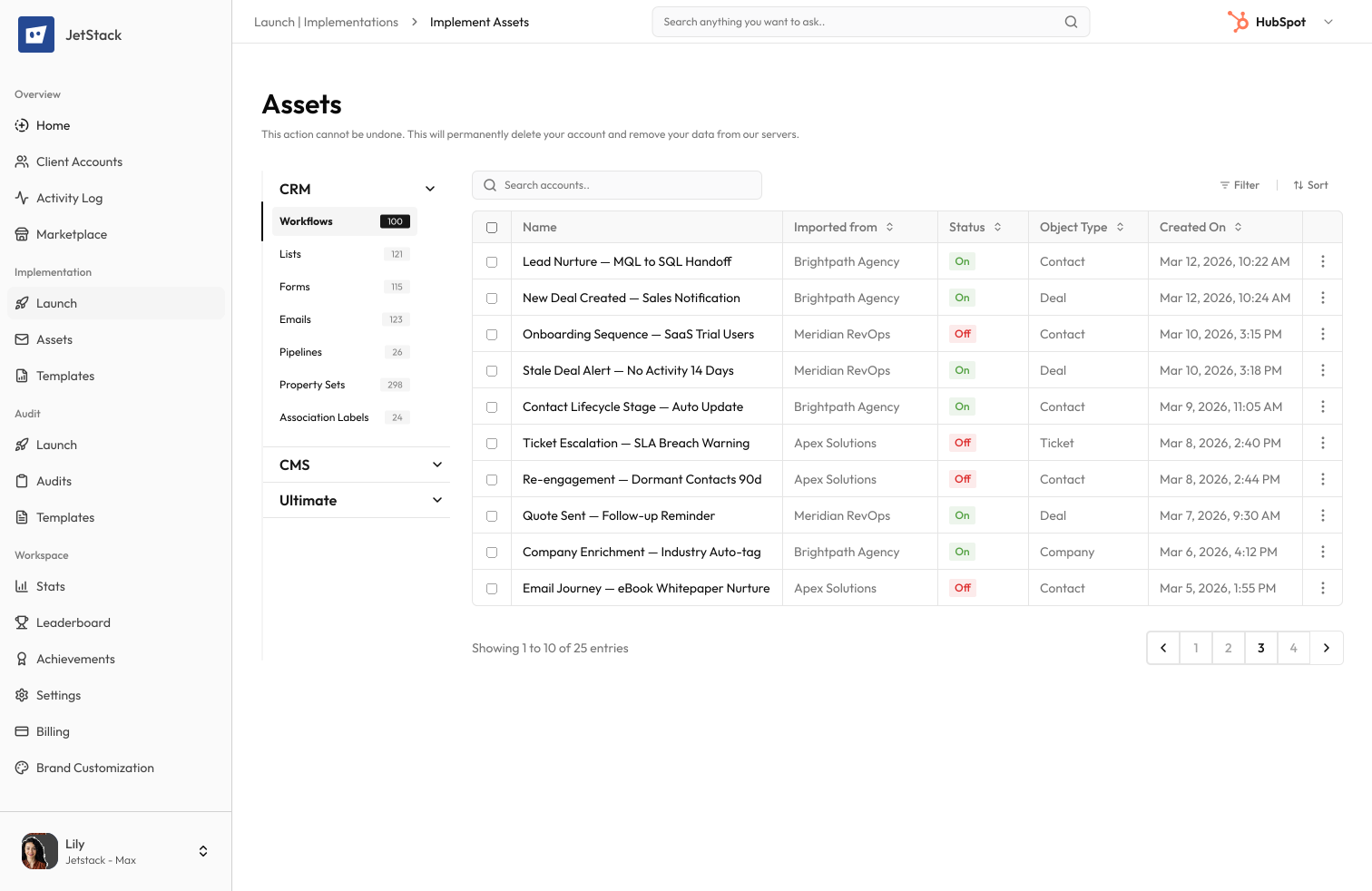
JetStack AI transfers complete workflow logic including every trigger, action, branch, delay, and condition, with full dependency resolution and pre-migration validation.
Complete logic transfer
Every element of the workflow is transferred exactly. Triggers, branches, delays, property updates, email sends, task creation, and cross-workflow enrolments. Nothing is lost or simplified.
Automatic dependency resolution
JetStack AI maps all workflow dependencies like lists, properties, forms, even other workflows, and more, ensuring they exist in the destination portal before the workflow is migrated.
Pre-migration validation
Before any workflow is migrated, JetStack AI validates that all referenced objects, properties, and lists are present in the destination. So no node goes blank.
Zero-downtime migration
Workflows are migrated in an inactive state, validated, and then activated on your schedule.
Full rollback
If a migrated workflow needs adjustment, roll back to the pre-migration state in one click.
JetStack AI migrates workflow logic with 100% fidelity. No manual recreation, no broken dependencies.
How it works
Connect portals
Connect the destination HubSpot portal. JetStack AI scans all workflows and maps their dependencies.
Select and validate
Choose workflows to migrate. JetStack AI validates all dependencies in the destination portal, allows you to map and/or creates any missing references.
Preview migration
Review exactly what will be created in the destination. Every selected workflow can be remapped or removed from selection before implementation.
Migrate with rollback
Execute the migration with full rollback protection. Workflows are created inactive for testing before activation.
The difference JetStack AI makes
Before JetStack AI, migrating 10 workflows between HubSpot portals took 2-3 days of manual recreation. Each workflow had to be rebuilt action by action, with dependency issues discovered only after activation. With JetStack AI, the same 10 workflows migrate in under a minute with guaranteed logic fidelity and zero broken dependencies.
Migrate workflows in minutes, not days.
Ready to migrate your workflows?
Get startedFrequently asked questions
Are all workflow types supported?
Yes — contact-based, company-based, deal-based, ticket-based, and custom object workflows. All trigger types, actions, branches, and delays are fully supported.
What happens to workflow dependencies?
JetStack AI maps all dependencies before migration. Missing lists, properties, or forms in the destination are flagged with specific remediation steps. Dependencies can be migrated together with the workflow.
Can I migrate workflows between different HubSpot subscription tiers?
JetStack AI validates tier compatibility before migration. Actions that require a higher subscription tier are flagged so you can adjust the workflow or upgrade the destination portal.
Are migrated workflows activated automatically?
No. Workflows are migrated in an inactive state so you can review and test them before activation. You control when each workflow goes live.
Can I migrate a subset of a workflow?
Yes. Select specific branches or action sequences to migrate. This is useful when you want to reuse part of a workflow logic in a different context.
Less busywork. More delivery, everywhere.
See how JetStack AI turns weeks of manual ops into minutes.
Book a demo now. No commitment, no sales pitch.