HubSpot Bulk Object Creation
Multi-object deployment. Schema validation. Full rollback.
The challenge
Creating custom objects in HubSpot requires defining schema properties, association types, and display configurations individually. When a portal needs multiple custom objects — each with their own properties and associations — the manual setup takes days.
Custom objects are complex to create
Each custom object requires a name, properties, primary display property, search properties, and association definitions. A single custom object with 20 properties takes 30+ minutes to configure correctly.
Associations must be defined manually
Each custom object needs association types defined — linking it to contacts, companies, deals, and other custom objects. Association labels, cardinality, and lookup behavior must be configured for each pair.
Schema changes are risky
Once a custom object has records, changing its schema (adding required properties, modifying types) becomes risky. Getting the schema right on the first attempt is critical but difficult without validation.
No bulk schema deployment
HubSpot provides no way to deploy multiple custom objects with their properties and associations in a single operation. Each object must be created, configured, and associated individually.
How JetStack AI handles bulk object creation
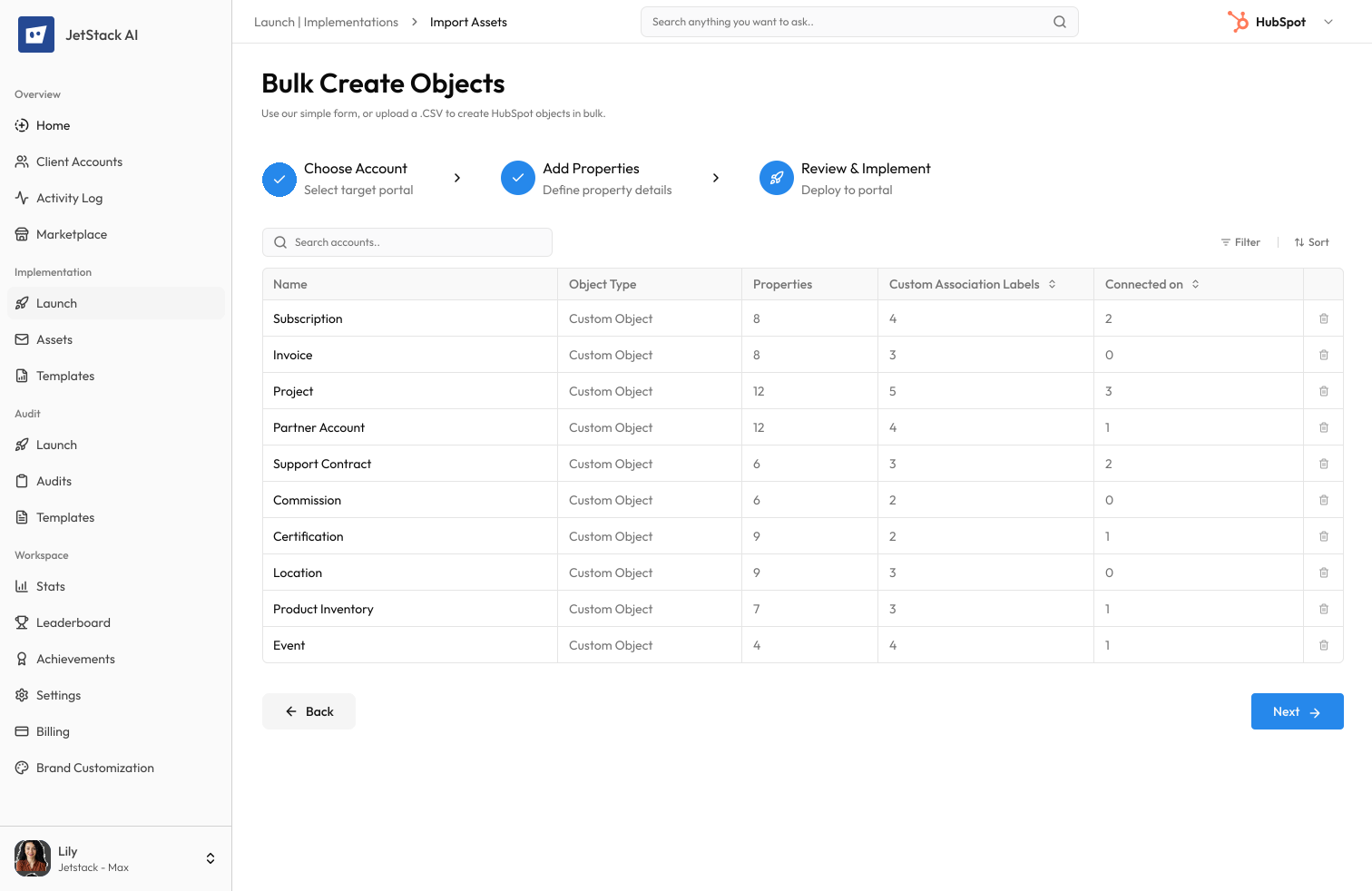
JetStack AI deploys multiple custom objects — with properties, associations, and display settings — in a single operation with schema validation and rollback protection.
Multi-object deployment
Define multiple custom objects in a single configuration. JetStack AI creates all objects, their properties, and their associations in the correct dependency order.
Schema validation
Before creation, JetStack AI validates every object schema — required fields, property types, association definitions, and naming conventions. Schema errors are caught before any objects are created.
Automatic association configuration
Define association types between custom objects and standard objects. JetStack AI creates all associations with correct cardinality, labels, and lookup behavior.
Schema rollback
Roll back the entire object creation — including properties and associations — in a single operation. No manual cleanup required.
The result
JetStack AI deploys complete custom object schemas in minutes with validated associations and full rollback.
How it works
Four steps from schema definition to deployed objects.
Define object schemas
Define custom objects with their properties, display settings, and association types in the JetStack AI interface or import from a template.
Validate
Run schema validation — checking property types, required fields, association cardinality, and naming conventions. Fix any issues before creation.
Preview
Review the complete deployment plan — every object, property, and association that will be created, in the order they will be executed.
Execute with rollback
Deploy all custom objects in a single operation with full rollback protection.
The difference JetStack AI makes
Before JetStack AI, deploying 5 custom objects with 20 properties each and cross-object associations took a full day of manual configuration. Association errors were common and difficult to debug. With JetStack AI, the same deployment completes in minutes with validated schemas and correct associations.
Deploy complete object schemas in minutes — not days.
Ready for bulk object creation?
Get startedFrequently asked questions
How many custom objects can I create at once?
JetStack AI supports creating any number of custom objects in a single operation, up to your HubSpot subscription limits. Object limits vary by subscription tier.
Can I define associations between custom objects?
Yes. You can define associations between custom objects and between custom objects and standard objects (contacts, companies, deals, tickets). All association types and cardinality rules are supported.
What happens if schema validation fails?
Validation errors are displayed with descriptions and fix suggestions. No objects are created until all validations pass. Common issues include duplicate names, invalid property types, and circular associations.
Can I import object schemas from another portal?
Yes. JetStack AI can read custom object schemas from a source portal and replicate them in a destination portal — including all properties, associations, and display configurations.
Does rollback remove records?
Rolling back object creation removes the object definitions and their properties. Any records stored in those objects would be lost. JetStack AI warns before rolling back objects that contain data.
Less busywork. More delivery, everywhere.
See how JetStack AI turns weeks of manual ops into minutes.
Book a demo now. No commitment, no sales pitch.