HubSpot Bulk Pipeline Creation
Multi-pipeline deployment. Stage validation. Full rollback.
The challenge
Creating HubSpot pipelines one at a time through the UI is tedious — each pipeline requires defining stages, configuring stage properties, setting automation triggers, and assigning team visibility. A portal with multiple deal and ticket pipelines takes hours to configure.
Pipeline creation is repetitive
Each pipeline requires creating stages, defining win probability (for deals), configuring stage properties, and setting up automation triggers. A portal with 5 deal pipelines and 3 ticket pipelines takes half a day.
Stage naming varies between pipelines
Without enforced naming conventions, stages have inconsistent names across pipelines — "Qualification" vs "Qualifying" vs "Qual" — making cross-pipeline reporting unreliable.
Automation triggers must be configured per stage
Each pipeline stage can trigger workflows, notifications, and task creation. Configuring automation triggers across multiple pipelines and stages is tedious and easy to miss.
No bulk pipeline import
Pipeline definitions maintained in spreadsheets cannot be imported into HubSpot. Each pipeline and stage must be manually entered through the settings UI.
How JetStack AI handles bulk pipeline creation
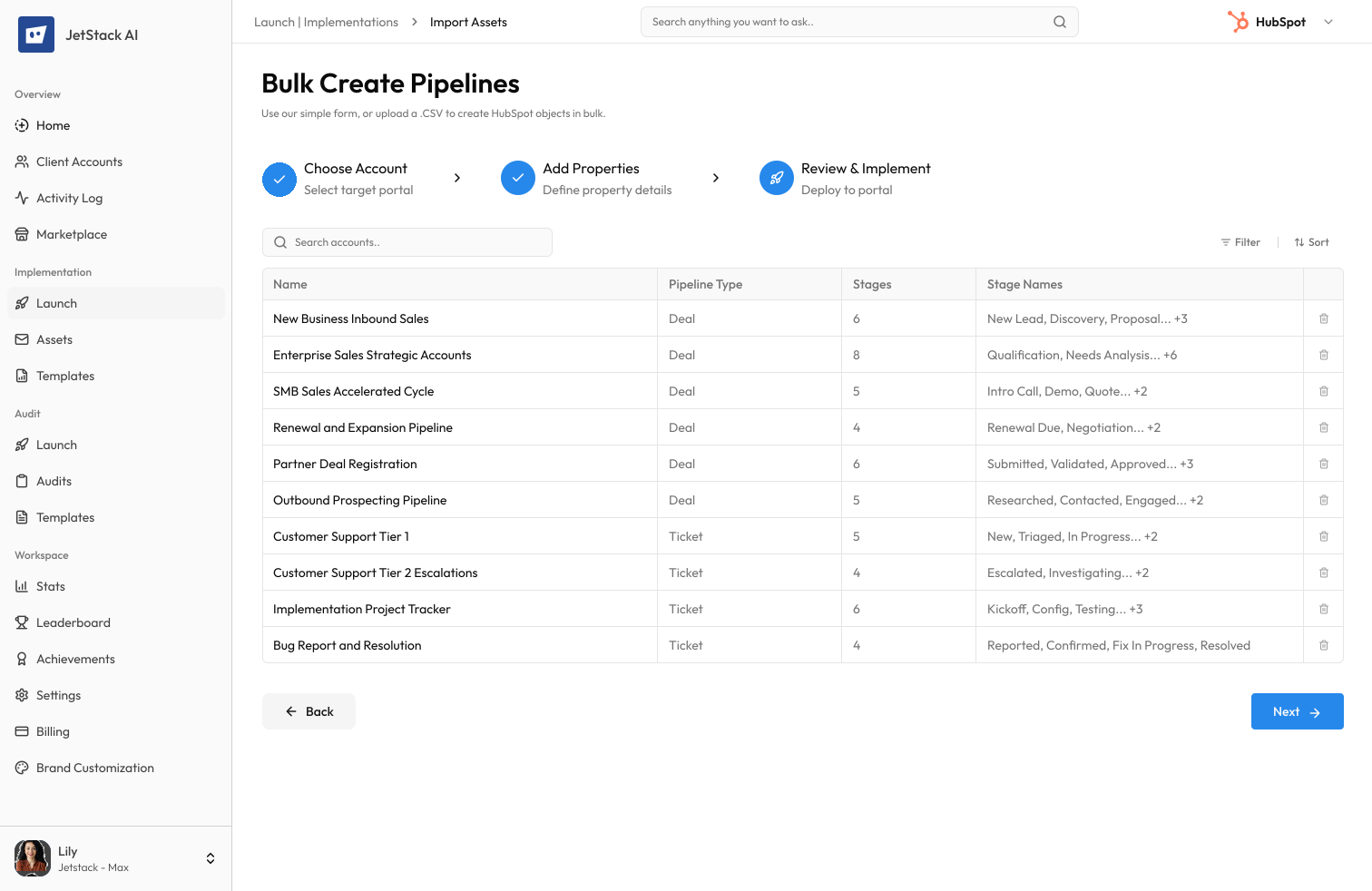
JetStack AI creates multiple deal and ticket pipelines — with stages, properties, and automation triggers — in a single operation with validation and rollback.
Multi-pipeline deployment
Define all pipelines in a single configuration — deal pipelines, ticket pipelines, and custom object pipelines. JetStack AI creates them all with correct stages and properties.
Stage validation
JetStack AI validates stage definitions — required properties, probability settings, and automation triggers — before creation. Catch configuration errors before they affect live deals or tickets.
Consistent naming enforcement
Define stage naming conventions and JetStack AI enforces them across all pipelines. Consistent stages enable reliable cross-pipeline reporting.
Pipeline rollback
Roll back all created pipelines in a single operation. Remove pipelines that were created in error without manually deleting each stage individually.
The result
JetStack AI deploys complete pipeline structures in minutes with validated stages and consistent naming.
How it works
Four steps from pipeline definitions to live configurations.
Define pipelines
Configure pipeline names, stages, probabilities, and automation triggers. Import from spreadsheet or define in the JetStack AI interface.
Validate
Run validation on all pipeline definitions. Check for duplicate names, missing required stages, and automation trigger conflicts.
Preview
Review every pipeline and stage that will be created, including properties and automation settings.
Execute with rollback
Create all pipelines in a single operation with full rollback protection.
The difference JetStack AI makes
Before JetStack AI, setting up 8 pipelines with 6 stages each meant 48 individual stage creations, each requiring manual property and automation configuration. Stage naming varied between pipelines, and missed automation triggers were discovered only when deals fell through the cracks. With JetStack AI, all pipelines deploy at once with validated stages and consistent naming.
Deploy complete pipeline structures in minutes.
Ready for bulk pipeline creation?
Get startedFrequently asked questions
Can I create both deal and ticket pipelines?
Yes. JetStack AI supports bulk creation of deal pipelines, ticket pipelines, and custom object pipelines in a single operation.
Can I configure stage automation triggers?
Yes. Each stage can include automation triggers — workflow enrollment, task creation, notification rules, and internal handoff triggers. All are configured before creation.
What about pipeline permissions?
Pipeline visibility and team access permissions can be configured as part of the bulk creation. Restrict pipelines to specific teams or users.
Can I import pipeline definitions from a spreadsheet?
Yes. Upload a CSV or Excel file with pipeline names, stage names, stage order, probabilities, and properties. JetStack AI validates and creates from the import.
Does rollback affect deals in existing pipelines?
Rollback removes pipeline definitions. Pipelines with active deals cannot be rolled back — JetStack AI warns you and requires deals to be moved or deleted first.
Less busywork. More delivery, everywhere.
See how JetStack AI turns weeks of manual ops into minutes.
Book a demo now. No commitment, no sales pitch.