HubSpot Bulk Property Creation
500+ properties per operation. Dry-run validation. Full rollback.
The challenge
Creating HubSpot properties one at a time through the UI is painfully slow. A typical portal setup requires dozens of custom properties across contacts, companies, deals, and tickets — each requiring manual entry of name, type, group, and field options.
One-by-one creation is slow
Each HubSpot property requires navigating to the settings screen, selecting the object type, entering the property name, choosing the field type, configuring options, and saving. Creating 50 properties takes an entire day.
Naming inconsistencies across objects
When properties are created manually over time, naming conventions drift. "Company Size" vs "company_size" vs "companySize" — inconsistent internal names make reporting and automation unreliable.
Wrong field types cannot be changed
HubSpot does not allow changing a property's field type after creation. A single-line text created when you needed a dropdown means deleting the property (losing all data) and starting over.
No bulk configuration from spreadsheets
Teams maintain property definitions in spreadsheets but must transfer each one to HubSpot manually. There is no native way to import a property definition spreadsheet into HubSpot.
How JetStack AI handles bulk property creation
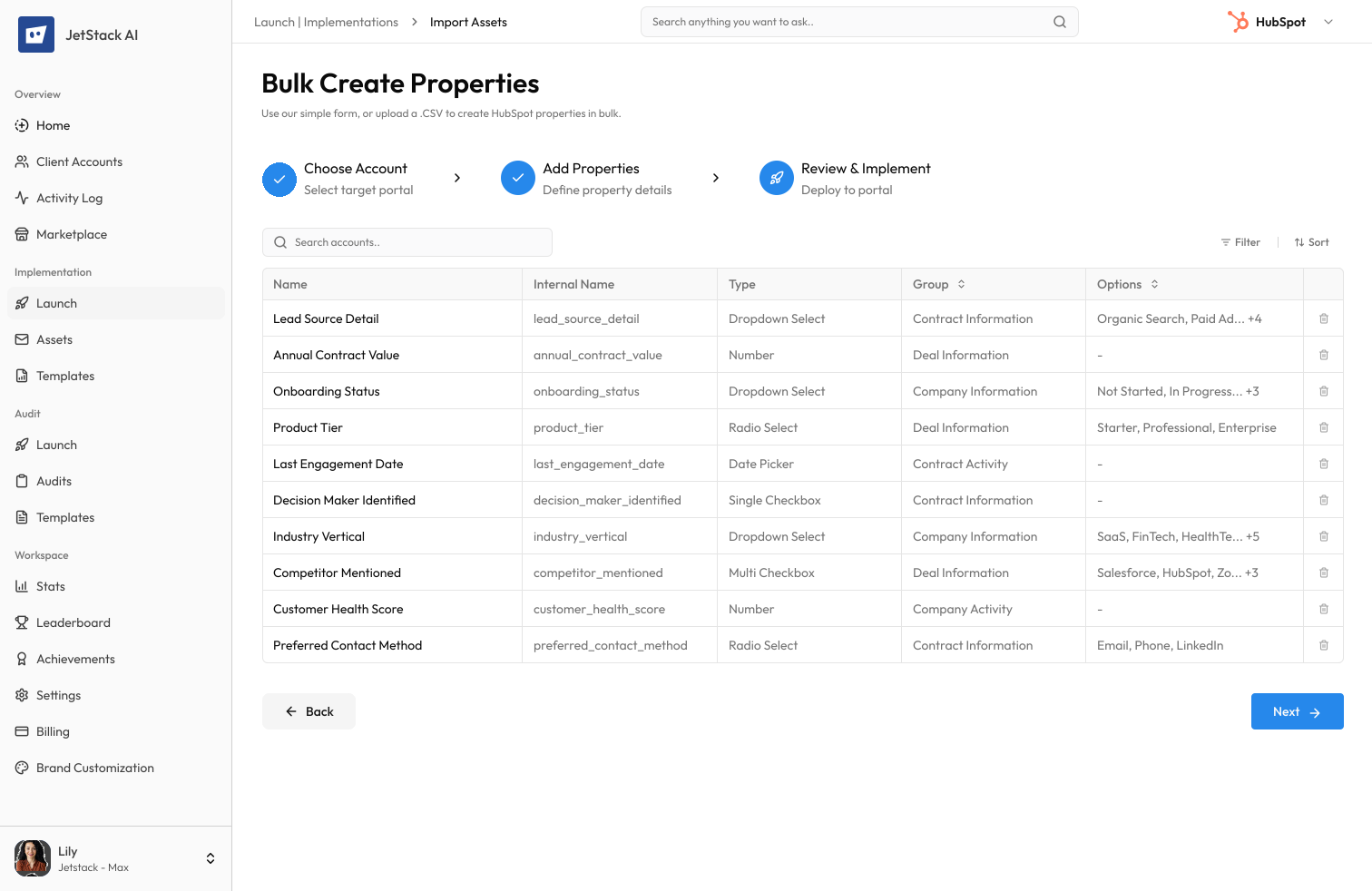
JetStack AI creates hundreds of HubSpot properties in a single operation — from a spreadsheet, template, or configuration file — with dry-run validation and full rollback.
Bulk creation from templates
Define properties in a spreadsheet, CSV, or JetStack AI template. Specify name, internal name, field type, group, options, and description for each property. JetStack AI creates them all in a single operation.
Dry-run validation
Before any properties are created, JetStack AI validates every definition — checking for name conflicts, invalid field types, missing required fields, and duplicate internal names. Fix issues before execution.
Naming convention enforcement
Define naming rules (camelCase, snake_case, or custom patterns) and JetStack AI enforces them automatically. Consistent internal names across all objects, every time.
Bulk rollback
Every bulk creation operation can be rolled back. If a property set needs adjustment, remove all created properties in one click and re-create with corrected definitions.
Cross-object property replication
Create the same property definition across contacts, companies, deals, and tickets simultaneously. Maintain consistent property structures across all HubSpot objects.
JetStack AI creates entire property libraries in minutes with guaranteed naming consistency and zero configuration errors.
How it works
Four steps from property definitions to fully configured portal.
Define properties
Upload a spreadsheet, import a template, or define properties in the JetStack AI interface. Specify name, type, group, options, and description for each property.
Validate
Run dry-run validation. JetStack AI checks every property definition for name conflicts, invalid types, and missing fields. Review and fix any issues.
Preview
See exactly what will be created in the portal — property names, types, groups, and options. Approve the creation plan.
Execute with rollback
Create all properties in a single operation with rollback protection. If anything needs adjustment, remove all created properties in one click.
The difference JetStack AI makes
Before JetStack AI, creating 100 custom properties across HubSpot objects took 2–3 days of manual clicking — with inconsistent naming, occasional wrong field types, and no way to undo mistakes. With JetStack AI, the same 100 properties are created in minutes with enforced naming conventions, dry-run validation, and one-click rollback.
Create property libraries in minutes — not days.
Ready for bulk property creation?
Get startedFrequently asked questions
What property types are supported?
All HubSpot property types — single-line text, multi-line text, dropdown, multiple checkboxes, number, date, date-time, file, calculation, score, and rich text. Each type supports its full range of configuration options.
Can I import property definitions from a spreadsheet?
Yes. JetStack AI accepts CSV and Excel files with columns for property name, internal name, field type, group, description, and options. The import validates every row before creation.
What happens if a property name already exists?
Dry-run validation flags duplicate names before creation. You can skip duplicates, rename the new property, or update the existing property with the new definition.
Can I create properties across multiple objects at once?
Yes. Define a property once and replicate it across contacts, companies, deals, and tickets. Each object receives an identical property definition with consistent naming.
Does rollback delete property data?
Rolling back property creation removes the property definitions. If contacts already have values for those properties, the values are lost. JetStack AI warns you before rolling back properties that contain data.
Less busywork. More delivery, everywhere.
See how JetStack AI turns weeks of manual ops into minutes.
Book a demo now. No commitment, no sales pitch.